Employees can have options available to offer and swap shifts between themselves. This article details the administrator level options for this setup, and how to action these requests
This article contains the following items;
Initial Setup
The settings for this feature can be found under the Setup > Additional Settings > Roster Settings screen.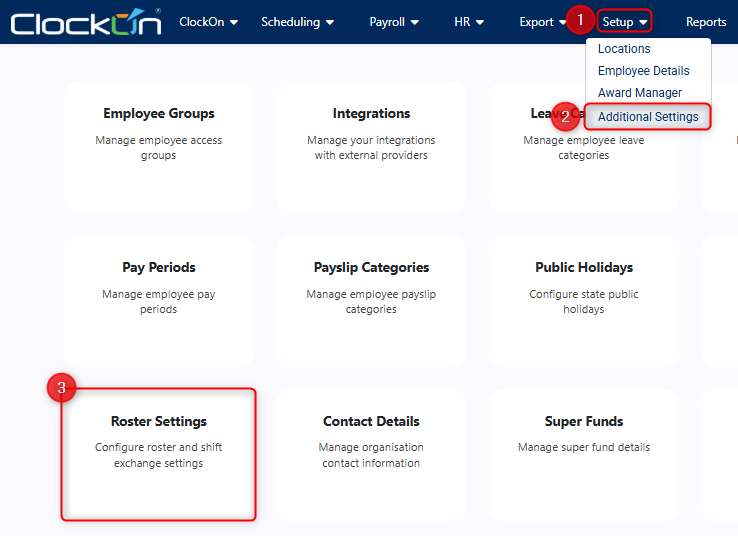
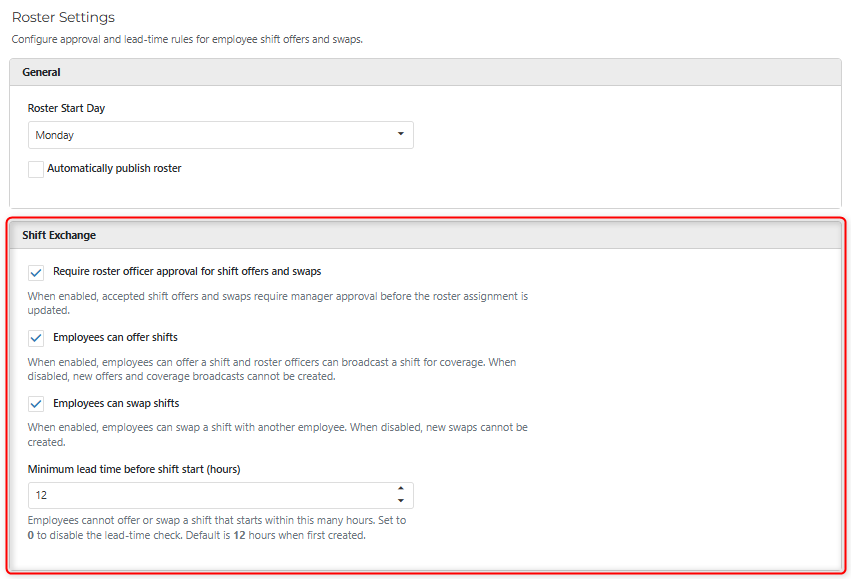
From this screen you can set whether the following applies
- Whether the roster officer needs to be involved with the employee shift swap process (defaulted to enabled).
- Whether employees are able to offer their existing shifts to other team members.
- Whether employees are allowed to request shift swaps with other team members.
- What the minimum lead time is for the employees to be allowed to make these requests.
Request Creation and Approval Flow
The flow for the request is as follows

The process for how the employees can make these requests can be viewed in the Employee Portal - Rosters
article.
Once the second employee has accepted the change and assuming that the Roster Officer approval option is enabled, a Pending record will be created within the Exchange Approvals screen for actioning.
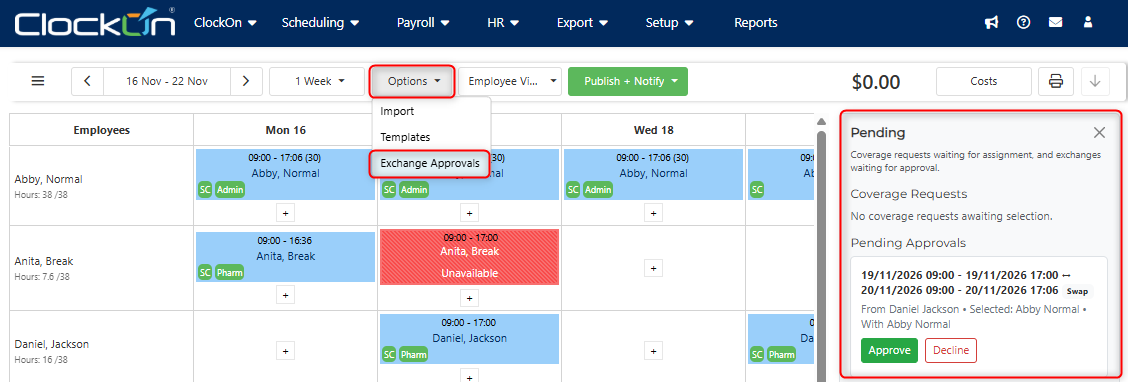
This provides the roster officer with a chance to review the request to ensure that items such as overtime or additional unexpected wages are not being triggered by the change.