A Novated Lease is a three-way agreement between an Employee, Employer, and the Novated Lease company to provide a service such as providing a vehicle and it's associated costs out of the employees pre tax income.
To set up a novated lease the Employee will need to approach their employer to confirm that this agreement is something that the company is comfortable with entering into and to ask whether the company already has an existing nominated novated lease company. The employee then needs to contact and arrange for the agreement to be drafted with the nominated novated lease company.
In essence, the agreement involves the following.
- The employer reduces the employee's before-tax income by the agreed amount on the prescribed bases.
- The employer using the amount that was reduced to direct it to the novated lease company.
- The novated lease company provides the service as described in the agreement for the designated period of time.
- The employee compensates the employer for the FBT amount as an after-tax payment.
ClockOn recommends that employees and employers do their research before entering into any specific agreements.
ClockOn Setup
To set this up within ClockOn you will need to create two allowances for the employee, for how to open the allowances screen click here.
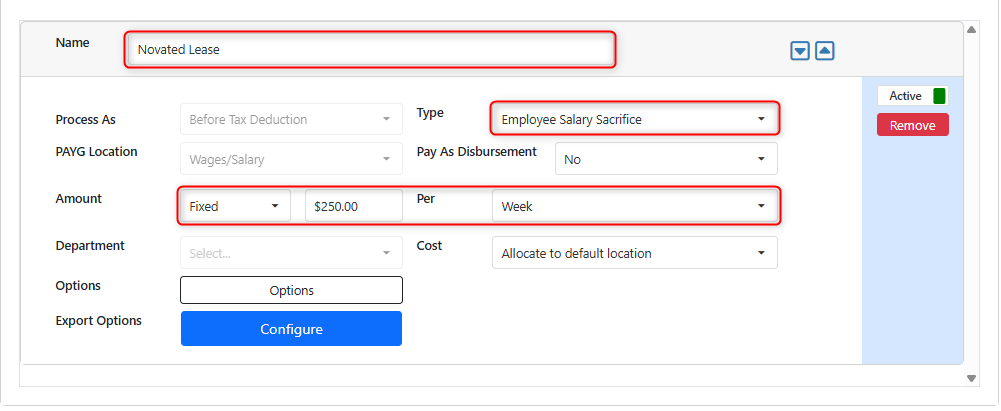
First, create an allowance to reduce the employees before tax wage, Set the Type to Employee Salary Sacrifice and specify the amount and frequency that the payments are to be made.
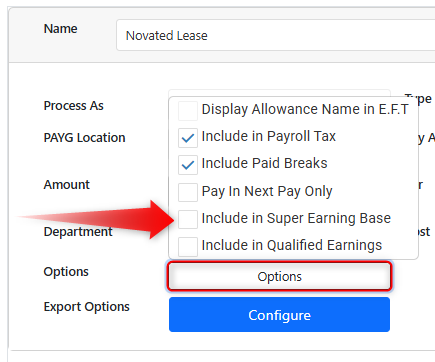
Use the Options button and ensure that the Include in Super Earnings Base is Disabled.
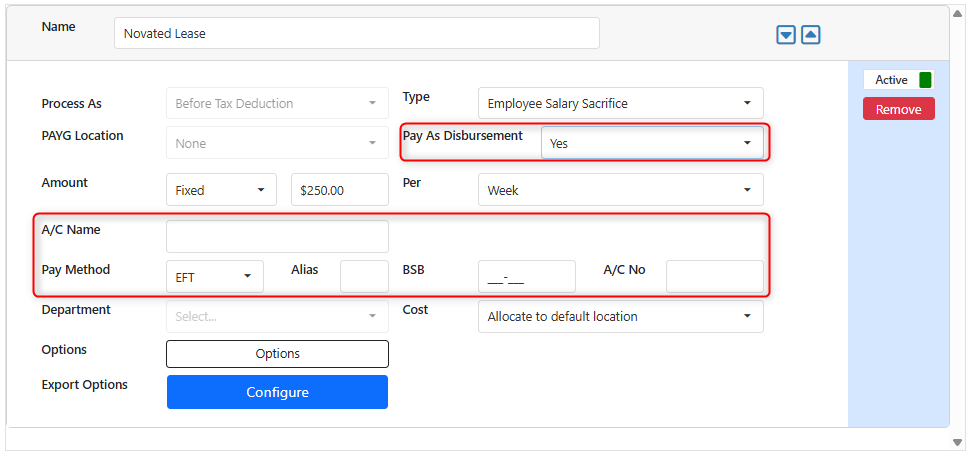
If desired you can also elect to pay this amount directly into the 3rd party novated lease bank account. to enable this adjust the Pay As Disbursement to Yes and the additional bank fields will be available.
Note that the following additional allowance is only required if the fringe benefit is amount is to be deducted from the employee's net wage.The second allowance required is to reduce the employee's After-tax portion for their fringe benefits tax contribution to be in which the payment is handled by the employer.
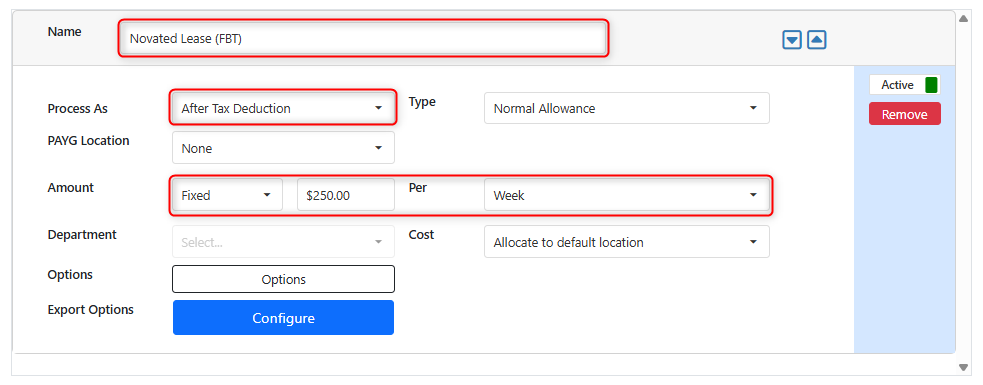
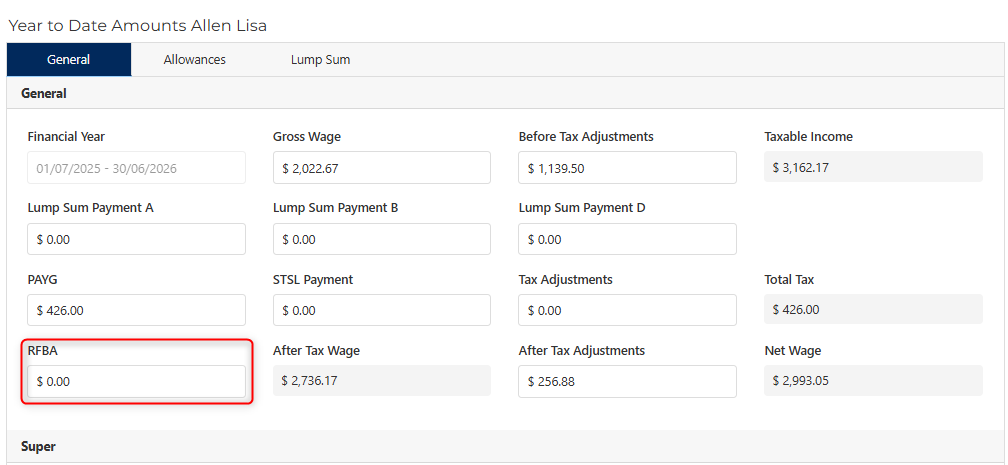
Note that the following is a required step regardless of whether the fringe benefit was paid by the employee. Please review the ATO - Reportable fringe benefits article for information on your reporting requirements for this item.Please note that prior to submitting your EOFY finalization you will need to enter FBT value directly into the RFBA value to the employee YTD screen, our Entering Employee Year-To-Date Amounts article details how to access this page.
If your company is registered to be exempt from paying fringe benefit tax for example, as a non profit organisation, you can set this within the Locations screen.
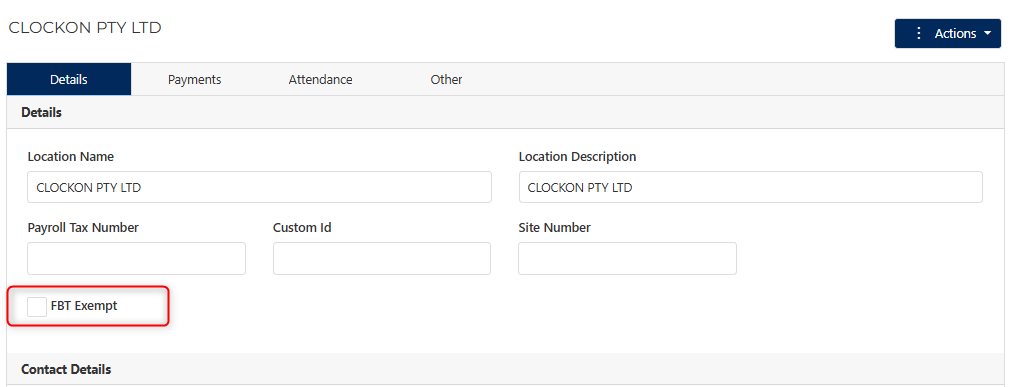
To find this setting please refer to the Locations and Departments > Edit An Existing Location article.
For more information regarding salary sacrifice arrangements please see the ATO's documentation.
ATO - Salary sacrificing for employees