When moving from another system to ClockOn, you may like to enter the amounts that the employee have earnt whilst with the previous system into ClockOn. How this is done will depending on the situation.
This article details the purpose and methods that employee YTD amounts can be added.
- Entering Opening Balance YTD Amounts
- Entering YTD Amounts Directly
- Processing YTD Amounts Through Payroll
Entering Opening Balance YTD Amounts
This method allows employee amounts to be added in the system to maintain continuity for the employee payslip amounts while preventing a double-up of amounts if they have been sent to the ATO using another system.
This method is the recommended if you want the employees to see the total earnings for the FY, but your previous system has been used to submit to the ATO via STP and you want to prevent the amounts from being submitted again.This is done from the Setup > Employee Details screen.

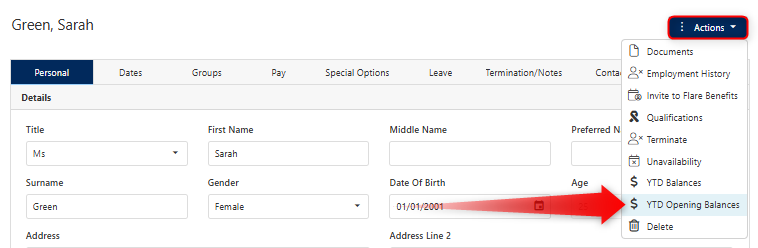
Click on the employee's record to open their profile.

The YTD Opening Balances option can then be selected from the Actions menu.
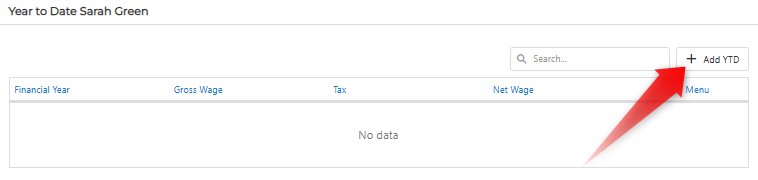
Use the + Add YTD button to create a new financial year record.
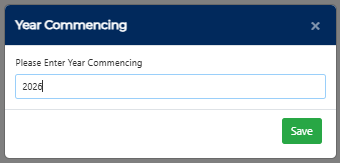
Enter the financial year that the record will be starting from, for example if you are adding for the 2026-27 financial year, enter 2026
The new record will open automatically and amounts from the previous system can be entered.
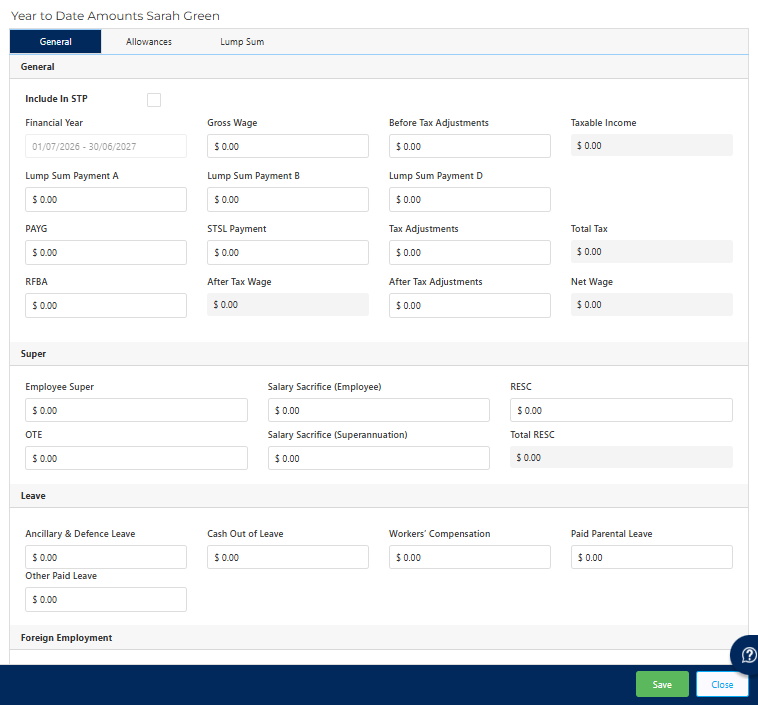
If you do not want the amounts on this screen to be sent to the ATO via STP then ensure that the Include in STP option remains disabled (off by default), Entering YTD Amounts Directly
in addition to the YTD opening balances, there are options to directly view and edit employee YTD amounts.
This process is very similar to the above, but accessible from the YTD Balances option.
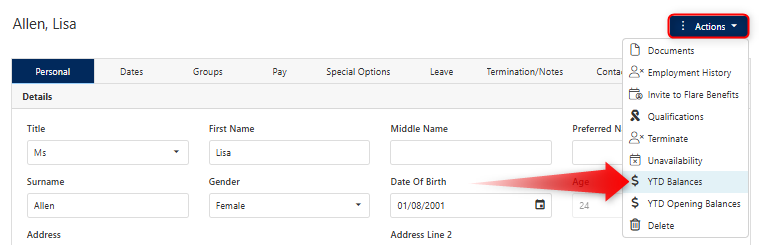
If the employee has been processed through the ClockOn Payroll, they will already have a pre-existing YTD record for the financial year. Clicking on these records will allow you to view the contents.

ClockOn recommends that this screen be treated largely as read-only. Changes are not recommended as this will cause a miss-match against the payroll processed information.
Processing Amounts Through Payroll
If the amounts have not yet been processed in any other system, then the most appropriate way to pass them into the system is through the ClockOn payroll either as per normal using the standard period-process- next period method, or using YTD allowances.
For information on how you can set up these allowances for payroll processing please see the following guides;