With a recent change to Single Touch Payroll (STP) requiring an additional layer of security, the Australian Government is now aware of which payroll provider you're utilising for submitting your payroll.
This article contains the following items;
Why this is happening
This is a required security update from the ATO. It’s designed to strengthen how payroll data is authenticated and reported through STP, and applies to all payroll software providers.
Where to find the Software Service ID (SSID)
- Upon your first STP Submission, you will be prompted with the following information, this will display our "Sending Service Providier" (SSP), and also your Software ID.
This ID is automatically generated upon the creation of your ABN in our system.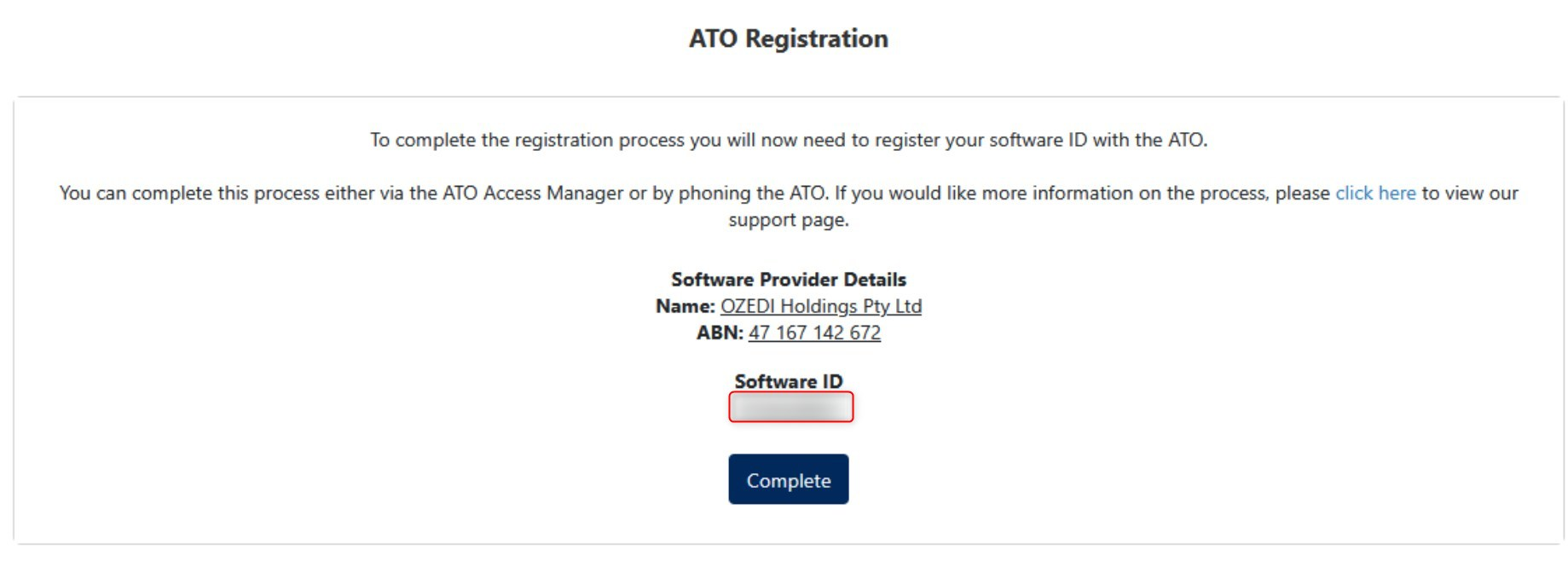
- Take note of the Software ID above, and click "Complete".
If you did require to find the Software Service ID (SSID), this can also be found via the following steps.
- Click "Setup", and click "Additional Settings".

- From there, select "Contact Details".
- At the bottom of the menu, will be displayed your "SSID", within the section "ATO Authorisation Details".

How to advise the ATO of your Hosted Software Services
The ATO provides two methods for registering the SSIDs to allow for STP submissions.
- By calling the ATO directly on 1300 852 232
- Using the ATO Access Manager
When registering to enable please use the following details
- Provider OZEDI HOLDINGS PTY LTD
- ABN 47 167 142 672
ATO Access Manager
To add the details using the ATO's Access manager interface log in to your ATO Access Manager
Note that you will require your ATO digital id to access the ATO Access Manager.- Select "My hosted software services".
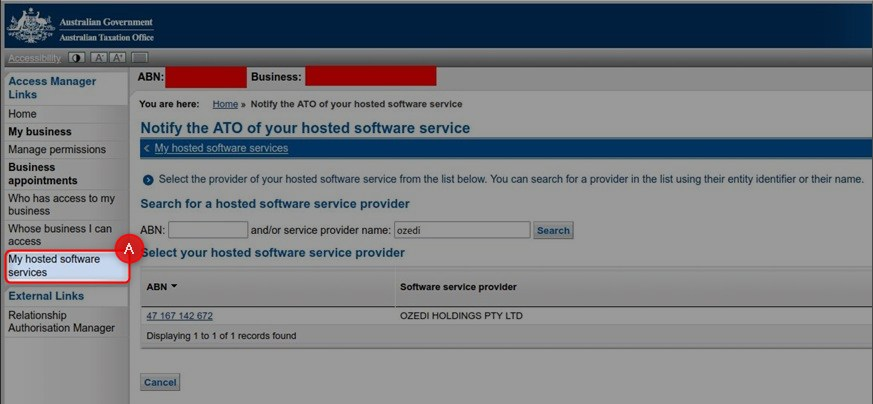
- Select "Notify the ATO of your hosted service".
- Search for the sending service provider "OZEDI HOLDINGS PTY LTD".
- Locate and Select the ABN of "47 167 142 672".
- Using the SSID that was found in the steps above, enter your sending service provider's software ID and select Next.
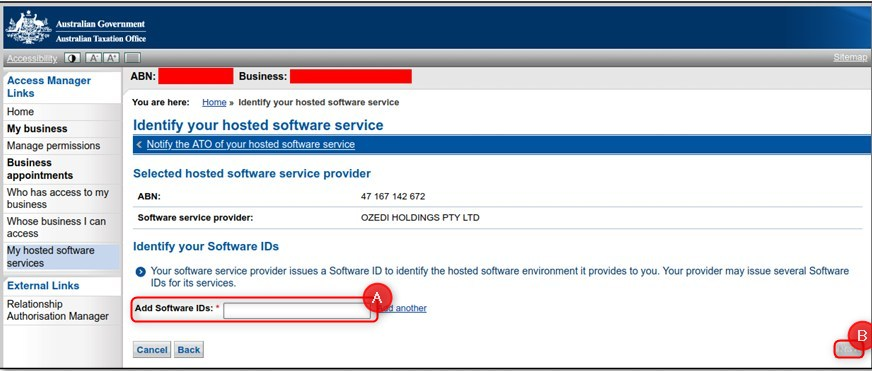
- Read the Notification statement, then select "Save".
- You have now successfully registered that you're utilising ClockOn as your service provider.
Please be aware that ClockOn utilises a "Sending Service Provider" (SSP), which we use to submit STP with, as mentioned above, they're "OZEDI HOLDINGS PTY LTD" and their ABN is "47 167 142 672", They must be selected in the "Hosted Software Services".