Some awards and agreements have a condition where overtime needs to be considered beyond the current period for example an employee may be in a weekly payroll, however, their award may state that overtime needs to apply if they work over 152 hours over 4 weeks. ClockOn can cater for this scenario using Periodic Overtime.
This article covers the following:
Rule Set Configuration
For the overtime to be applied at payroll we need a trigger point. This is done in the Award > Rule Sets.
Overtime Configuration
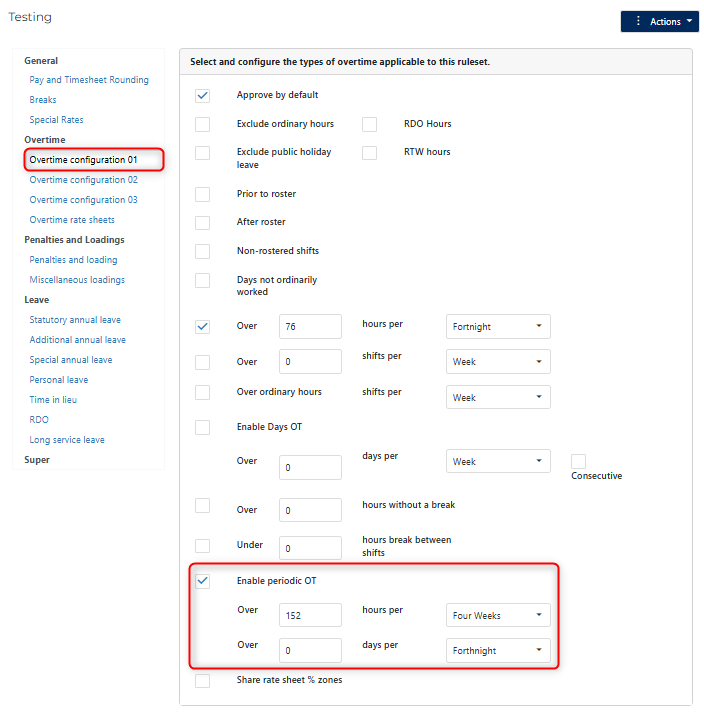
The rule set settings for Periodic Overtime can be found under the Overtime Configuration 01 section, and are enabled by checking the Enable periodic OT and setting either the hours or days (shift on day) required to work to qualify for the condition.
In the below example we are setting the system to trigger overtime when the employee works over 152 hours (4 x 38) in a 4 week period.
Overtime Rate sheets
If the payments for this configuration need to be done with different timings of conditions, an additional overtime rate sheet can be added to distinguish between them.
Open the Award > Rule Set screen and select the Overtime Rate Sheets section, then note the top section.
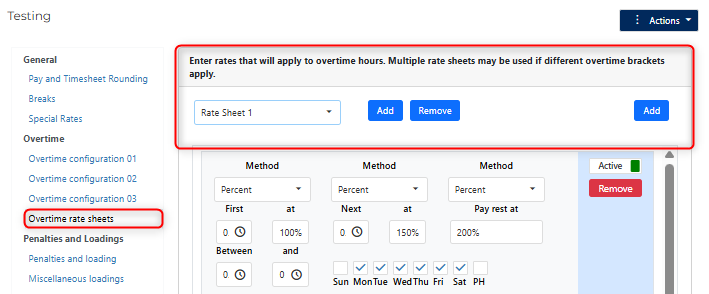
The section where it says Rate Sheet 1, indicates the primary sheet, by default there is always one instance of this in the system per rule set. To add another one use the left Add button.
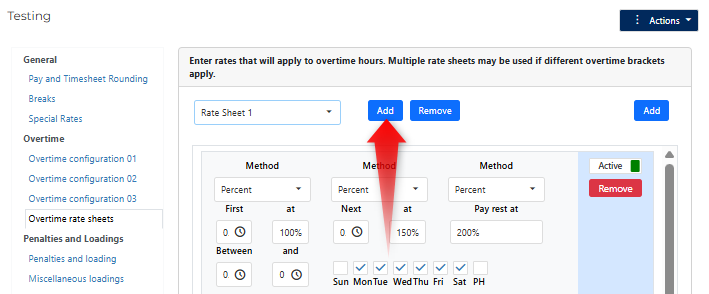
This will create a Rate Sheet 2 option, on which you can add your new overtime condition.
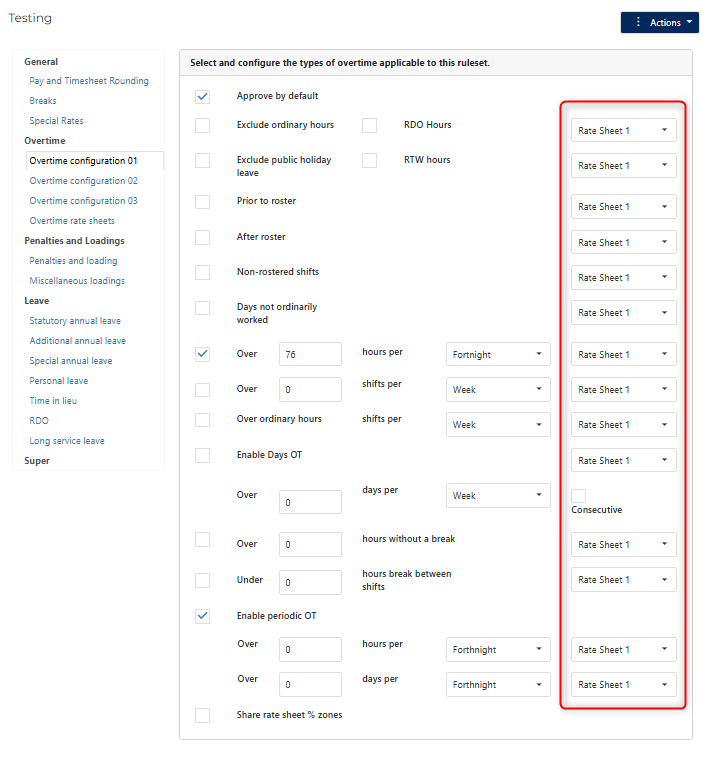
With this in place you will see a new column on the overtime trigger rule pages for the Rate Sheet and you can now choose which set of payment rules that the condition will apply to.
Employee Configuration
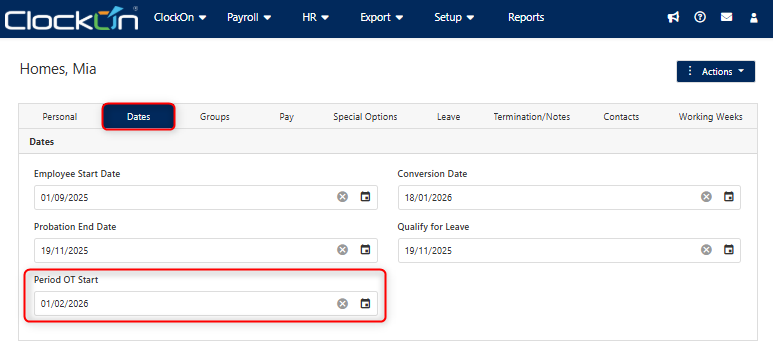
You will need to specify the start date that the system will use to determine the period range for the cross payroll overtime. This is done by opening the Employee Details screen, select the Dates tab, and adjust the setting for Period OT Start.
Periodic Overtime Payroll Processing
With the above setup in place the overtime will be applied at payroll if the conditions are met, to demonstrate this we have the example below with the following setup.
- The initial payroll start will be 01/02/2026, and payrolls will be processed on a fortnightly cycle,
- The employee's Period OT start is 01/02/2026,
- The ruleset will be set to trigger periodic overtime after 152 hours,
- 2 payrolls will be run to cover the 4 week period.
For simplistically sake, for the below example all other overtime and penalty rules have been disabled.
Payroll 1 - (01/02/2026 - 14/02/2026)
Expected normal hours of 76 over the fortnight
Added 1 additional day (7.6 hours) to bring the total hours for the period to 83.60
Note no overtime has triggered yet as they have not reached the 152 hour requirement.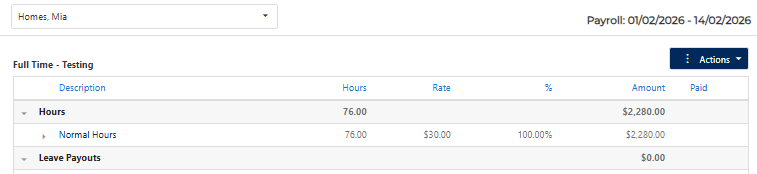
Payroll 2
In the second period we are setting a standard 76 hours.
We can see that 7.6 of these have been assigned to periodic overtime as the total hours for the 4 week period has exceeded the 152 hours.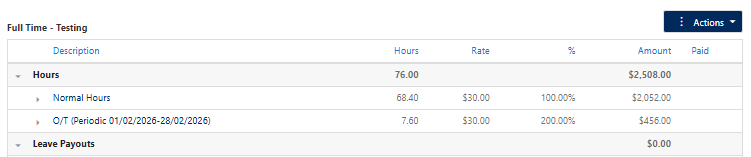
Total hours = 159
Payroll 1 = 83.60
Payroll 2 = 76

Over the 4 week period
152 Normal Hours
7.6 Overtime (periodic)