If the employee has committed to repayments from an outstanding government loan to assist with their training, there will be a requirement for them to pay an amount of additional tax from their wages this is known as a STSL repayment. The following article details how you can use ClockOn to automatically calculate the required amount based on their payroll income.
For all practical purposes the terms HECS, HELP and STSL all refer to the same thing. The ATO has just altered the naming conventions over the years. The current one is STSL which stands for Study and Training Support Loans.
To start the employee's settings need to be checked/updated,
Open the employee list screen
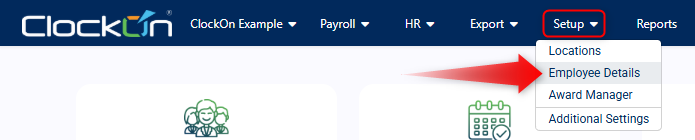
Select the employee

Open the Pay tab and locate the Tax Details section, the required setting is called Tax Category.
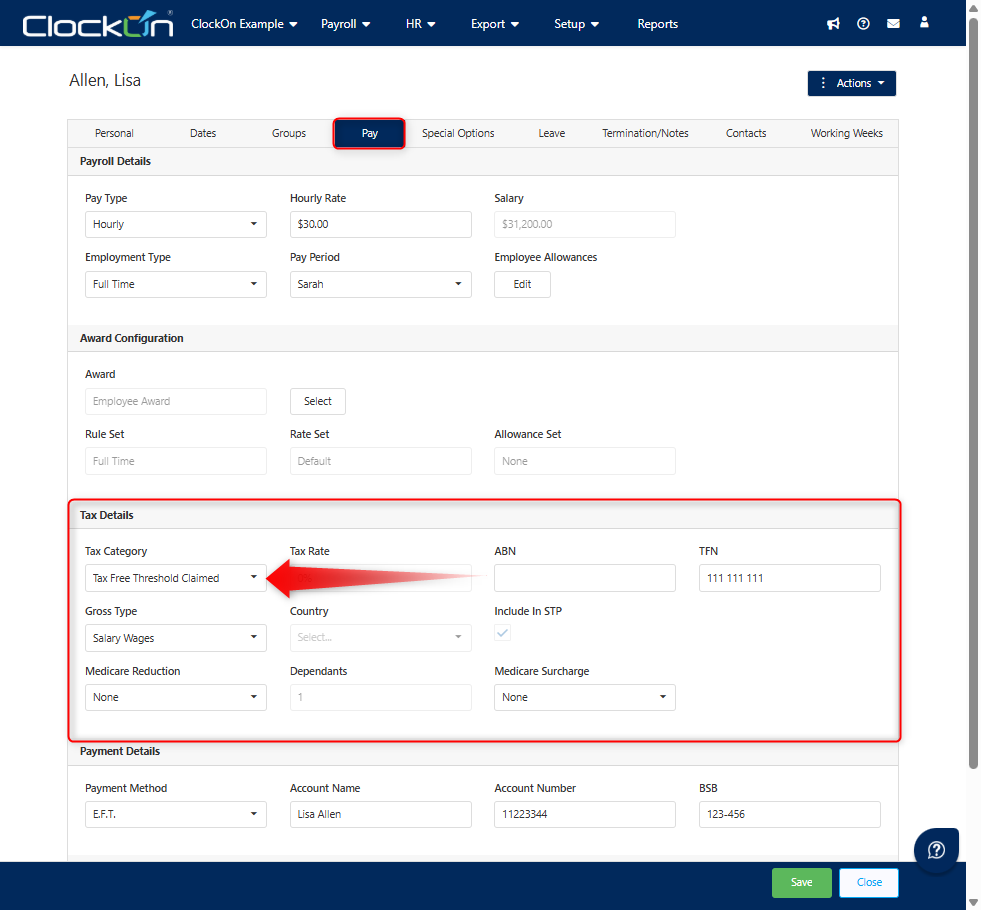
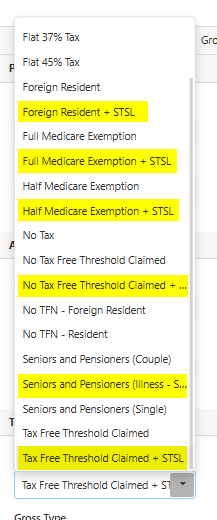
Select the most appropriate option based on how the employee should be taxed ensuring that it also includes the text + STSL.
If the employee meets the required threshold for repayments ClockOn will allocate more of the wage within the payroll to a separate line item under Tax > PAYG the section as STSL.
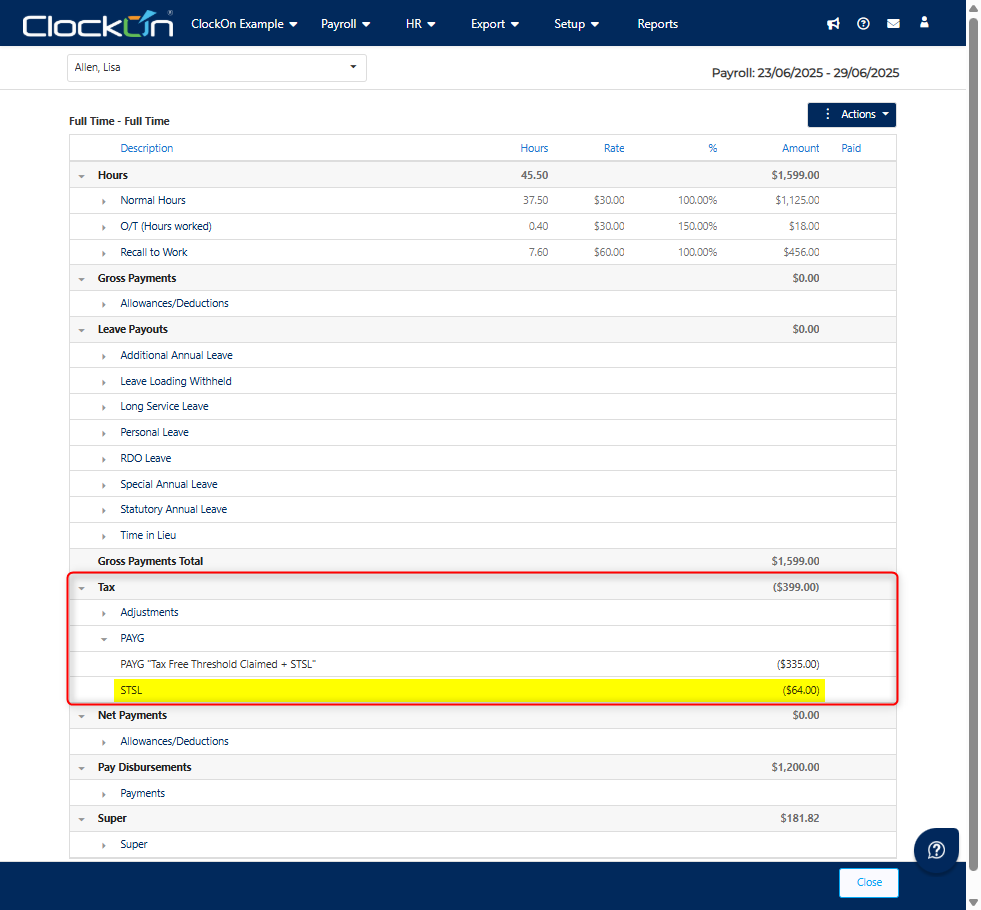
If after making this change the employee is not receiving this line item, it is likely that they have not met the gross payment requirement for this period. Please see the following ATO link for more information regarding the thresholds Study and training loan repayment thresholds and rates